Simplify your accounting with Fiduly
30-day free trial · No credit card required
30-day free trial · No credit card required
The balance sheet shows your company’s financial position at a given date. With Fiduly, you can generate your balance sheet, income statement and interim balance sheet from the accounting reports.
This guide also explains the checks to perform before finalizing your accounts and how to carry forward the opening balance to the following year.
Before generating the balance sheet, make sure your accounting and any VAT returns are consistent. Also see the guides manage accounting in Fiduly and manage VAT with Fiduly.
The balance sheet shows your company’s financial position at a given date. It consists of assets, liabilities and equity.
As a principle, total assets equal total liabilities and equity.
The balance sheet shows the company’s financial position at a given date. The income statement shows income and expenses over a given period in order to determine the profit or loss.
In Fiduly, the result for the financial year can be carried forward into the balance sheet according to your accounting configuration.
Before finalizing your balance sheet, make sure your accounting is complete, consistent and up to date.
To review detailed transactions, also see the guide manage accounting in Fiduly. For VAT, see the guide manage VAT with Fiduly.
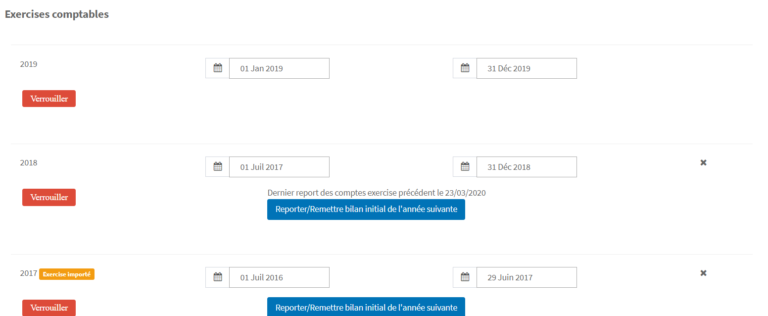
Once the financial year has been checked, you can carry forward the opening balance to the following year from the accounting settings.
The carry-forward of the profit or loss depends on the accounts configured in the accounting settings: retained earnings, profit for the financial year, accumulated loss and loss for the financial year.
In Switzerland, accounting rules are mainly defined by the Code of Obligations. Companies such as Ltd companies and LLCs must prepare annual financial statements including, in particular, the balance sheet and income statement.
For more information, see the official information from the Confederation’s SME portal on mandatory accounting in Switzerland.
Find answers to the most frequently asked questions about the balance sheet, income statement, checks before closing and carry-forward of the opening balance in Fiduly.
The balance sheet shows a company’s financial position at a given date. It shows assets, liabilities and equity.
The balance sheet shows the financial position at a given date, while the income statement shows income and expenses over a given period in order to determine the profit or loss.
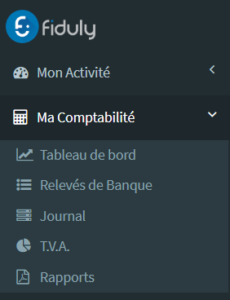
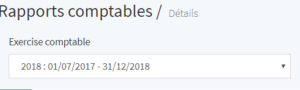
In Fiduly, go to “Bookkeeping”, then “Reports”. Select the desired financial year to generate the balance sheet.
It is recommended to check the accounting entries, account statements, bank balances, customer receivables, supplier payables, any depreciation and VAT consistency.
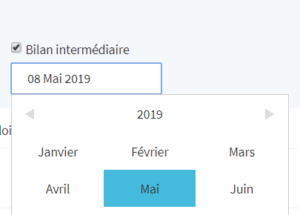
Yes. From the “Reports” page, you can tick the “Interim balance sheet” option and choose the desired date.
From the accounting settings, you can use the “Carry forward / Reset the opening balance to the following year” option to update the opening balances for the following financial year.
Fiduly can manage entries related to closing and opening according to the configuration of your accounting settings. The carry-forward of the result depends in particular on the accounts configured for the profit or loss for the financial year.
To go further, also see the guides related to accounting, VAT, the balance sheet and invoicing.